01
Drop in any photo.
A holiday snapshot, a portrait, a pattern you love — Knitify reads anything you can shoot or save from your camera roll.
Knitify reads any image and turns it into a precise, color-matched knitting chart — yarns sorted, stitches counted, gauge dialled in. Cast on with confidence; we did the math.
A holiday snapshot, a portrait, a pattern you love — Knitify reads anything you can shoot or save from your camera roll.
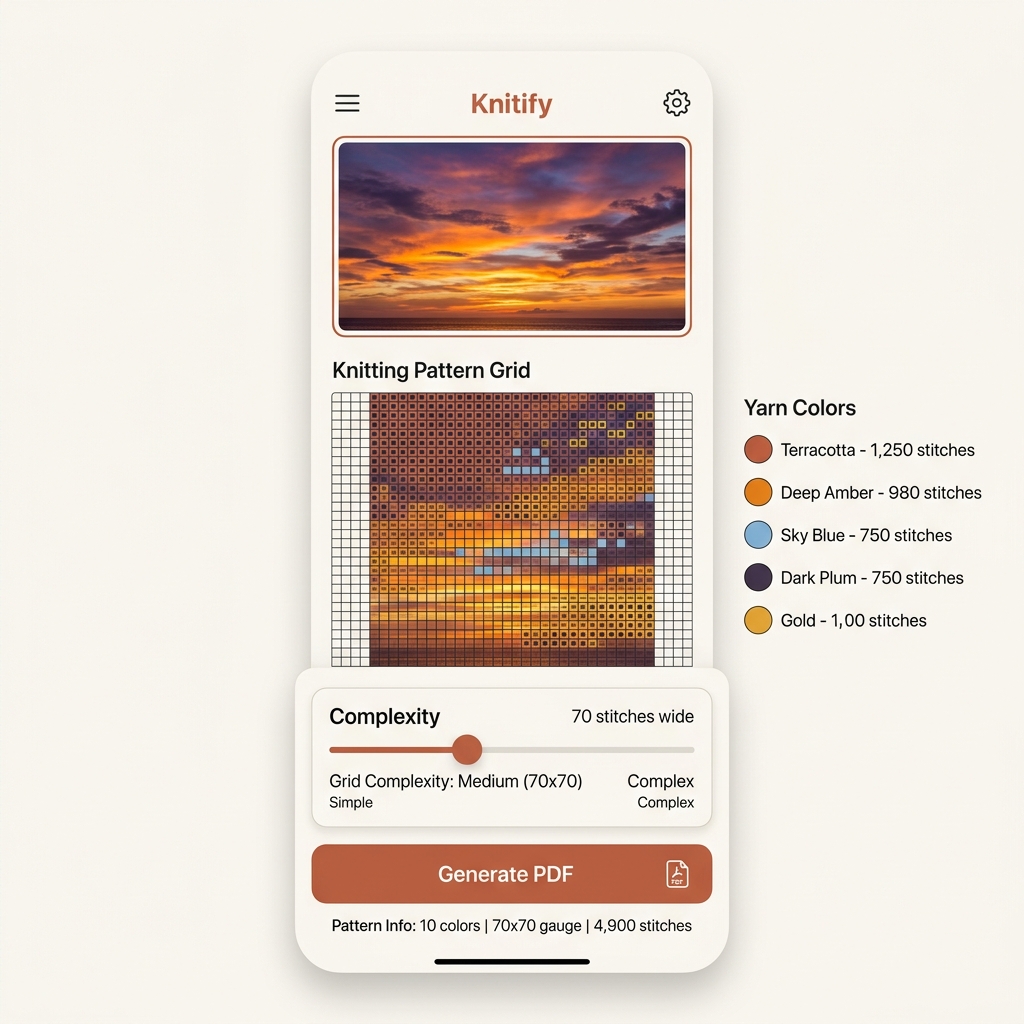
Set gauge, color count and dithering. The live preview updates as you go.
Multi-page PDF with color chart, row-by-row instructions and a color legend — formatted for paper or your tablet.
Control gauge, dithering style and color count. Knitify generates Jacquard colorwork charts from any photo.
Create as many projects as you like. Every project keeps its full settings, progress and exported chart.
Tap to advance your row counter. Knitify saves your place automatically — across sessions and devices.
Move the handle and watch the chart re-pixelate live. The same logic runs in the app — what you see is exactly what you'll knit.
Full chart with color legend and row-by-row instructions. Generated on your device, ready to print or share.
Sign in once and your projects follow you — iPhone, iPad, and Android all stay in sync automatically.
A native iOS and Android experience, designed for the way knitters actually work: in waiting rooms, on the sofa, in the project bag.
Every plan unlocks the full Knitify experience — pattern generation, full customization, PDF export, row tracker, and cloud sync. Only the number of saved projects and the way you pay change.
For your first knitting project — no commitment.
For knitters with a queue of ideas to ship.
For one more project — without a subscription.
Pretty much. The clearer the subject and the simpler the lighting, the cleaner the chart. For portraits we recommend 16–24 colors, no dithering, and Crop framing so features occupy more stitches. You're always in control of color count and detail level.
You stay in full control of grid size and color count — adjust them in the settings to match your project. The live preview always shows the exact chart you'll knit.
No — all pattern generation and PDF export runs locally on your device. We only sync project metadata to the cloud if you're signed in. Your photos never leave your phone unless you explicitly share them.
If you don't want a subscription, you can unlock a single project with a one-time purchase. That project gets full Pro features forever — edit, export, and track progress with no recurring charge.
Yes — manage it directly from the App Store or Google Play in two taps. Projects you've already saved stay saved; you just return to free-tier limits going forward.
Free to download · Per-project unlock available